
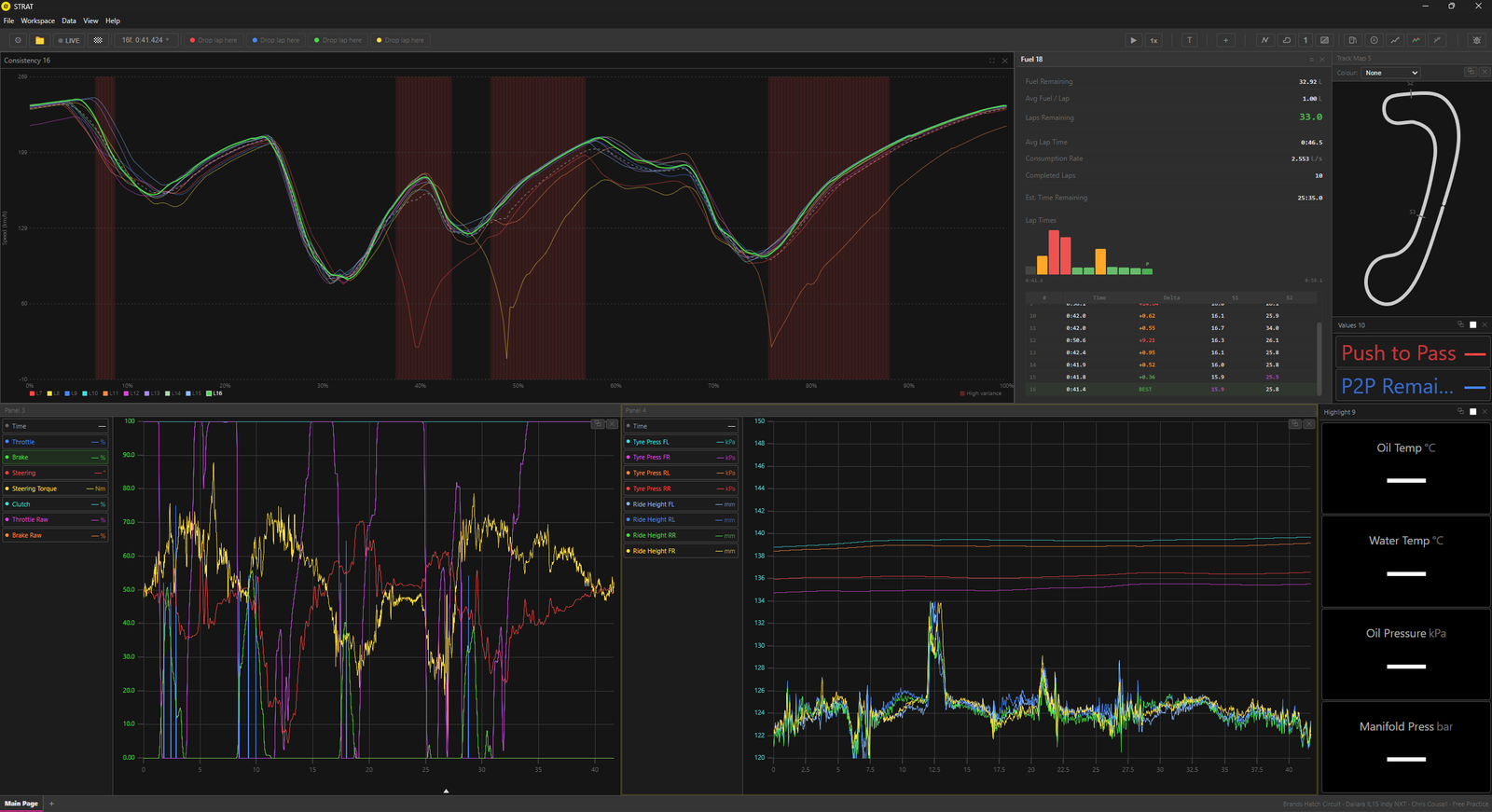
- Live telemetry dashboard - real-time telemetry outputs, over 300 channels streamed from the PC over WiFi at 30hz for iPad (Data Server required), and live and realtime at 60Hz on Desktop.
- Post-session overlays - post session data overlays with up to 4 different laps to compare from.
- Advanced data analytics - mirroring real world featuresets found in professional grade software, including scatter plots, traces, Min/Max gauges and more
- 2D track map - rendered from actual position data (not a static outline), colour-coded by any telemetry channel, with cursor sync and multi-layer racing line comparison for braking point analysis
- Sessions browser — grouped by date, filterable by car/track, with full lap tables showing times, deltas, and valid/invalid/in-out status
- CSV export & sharing — export channel data from any lap as a CSV, or share .IBT files and analysis screenshots via AirDrop and Messages
- Direct .IBT file import - Desktop app will automatically pull in your latest data outputted from the sim, whereas the iPadOS has a native Swift parser that handles iRacing files on-device via AirDrop, Files app, or email, no PC required
- Apple Ecosystem Integration - iPadOS is configured for pixel-precise cursor placement and freehand annotations drawn directly on traces, stored with the session, and magic keyboard shortcuts fully supported.
Branding
The STRAT branding was a mostly new thing for me, i worked on some basic text based logos for a long time before graduating to a custom logo i made that was basically an S with some squiggly lines through it.
After a while i decided have a proper logo to reflect the quality of the product i was trying to put out, a whole host of concepts were created, until we landed on still a text based logo that still incorporated the S.
The logo i landed on is the final design you see to the right, it had to be suitable for an app icon, favicon and the desktop app, hence why the single S was developed so it could stand alone from the text based logo, but still be clearly readable and recognisable to the user.
Other Concepts




Quick Links